Enumerate Active Directory Network
In this blog, we will perform Active Directory pentesting and reconnaissance on the AD environment. These approaches are based entirely on real-time Active Directory assessments.
We will cover topics designed for users who have a basic understanding of Active Directory.
Recon with NetExec:
First, use Netexec on the list of subnets to get a list of NetBIOS names and active IPs in the given subnets:
netexec smb subnets.txt
Saving Active IP’s:
netexec smb subnets.txt | awk '{print $2}' | tee -a IPs.txt
Enumerating Users:
Enumerating users in Active Directory:
netexec smb IPs.txt --users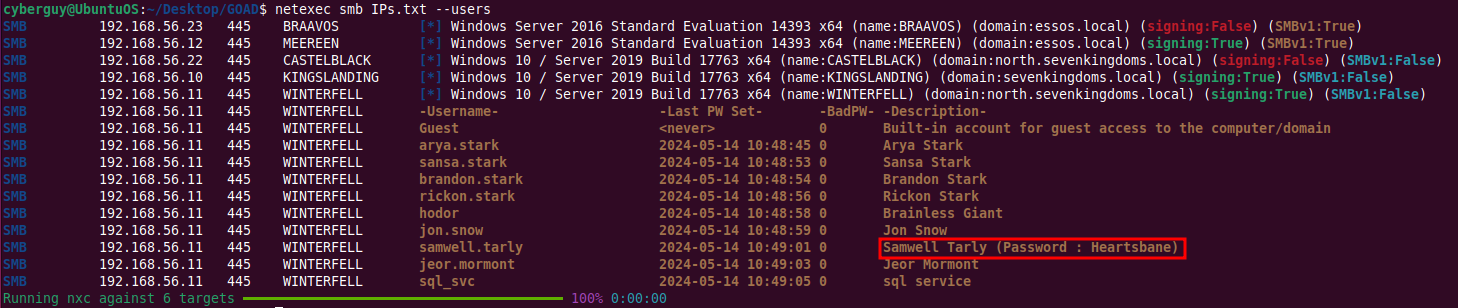
You will get users with descriptions and may also find passwords in the description fields.
NOTE: It’s highly recommended to check for passwords stored in descriptions.
Enumerating Password Policy
Retrieve the password policy from the Domain Controller (DC) anonymously before attempting brute force attacks:
netexec smb 192.168.56.11 -u '' -p '' --pass-pol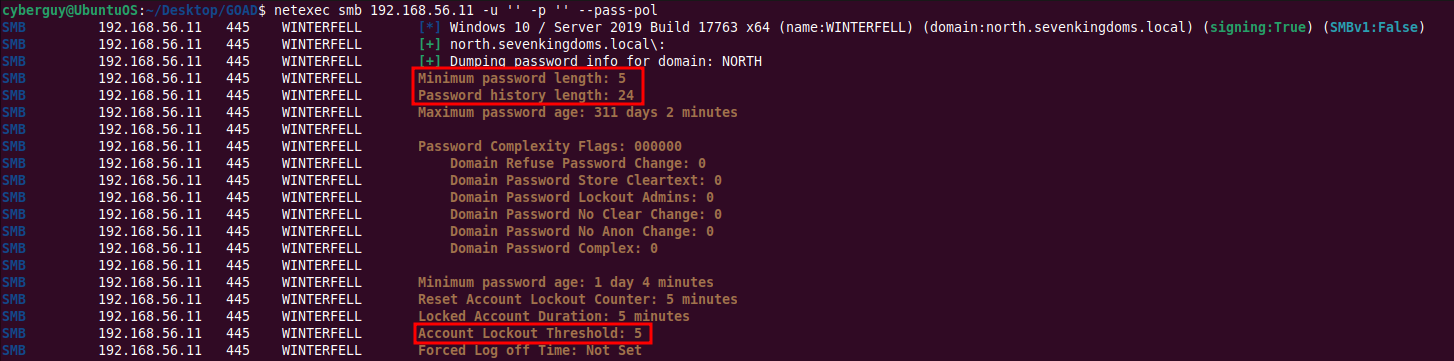
It is important to note Minimum password length and Account Lockout Threshold before doing password spraying over user accounts.
Checking for Anonymous RPC Login Vulnerability
Enumerate RPC in Domain Controller to get a list of users, groups, machines, and Group Policy Objects (GPOs):
rpcclient 192.168.56.11 -U ""%"" -c enumdomusers
Enumerating SMB Shares for Guest Access
Check for SMB shares accessible by guests:
netexec smb subnets.txt -u 'guest' -p '' --shares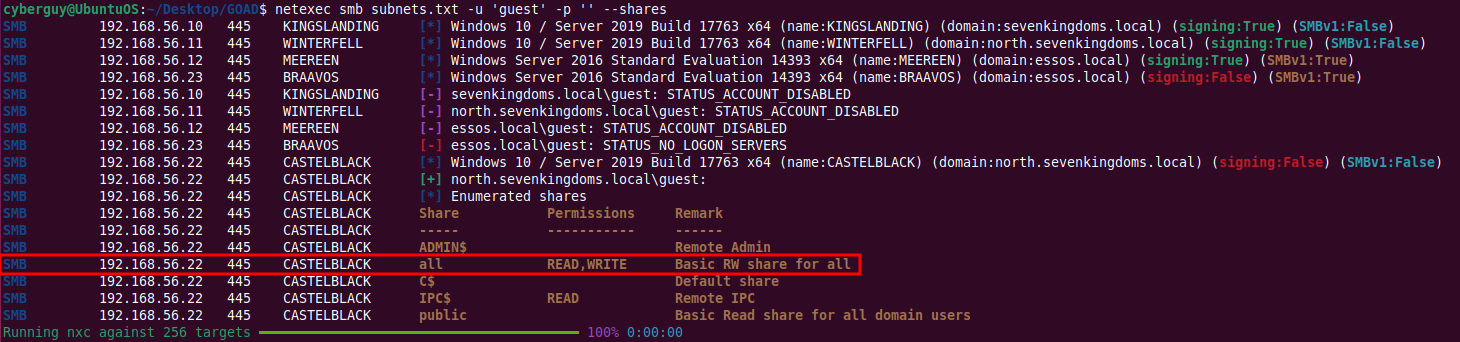
Recon with PowerView
Finding DC IP:
Load PowerView and find the Domain Controller IP:
. .PowerView.ps1
Get-NetDomainController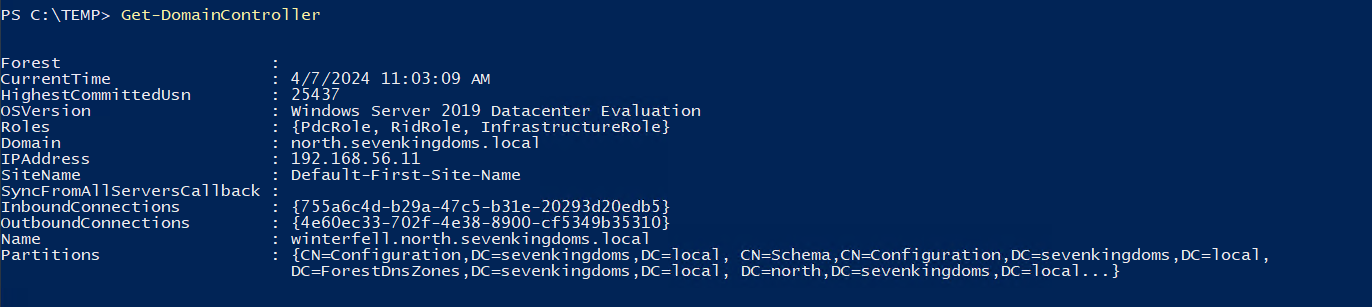
Finding Domain Admins:
Enumerate Domain Admins:
Get-DomainGroupMember "Domain Admins"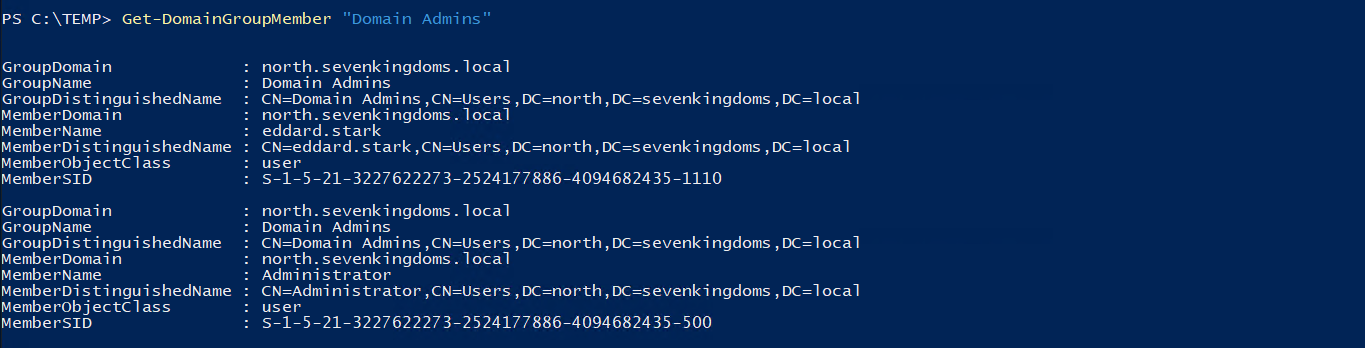
Recon with Nmap
Port Scanning:
Conduct a port scan for a list of IPs. Note that Nmap performs a ping before scanning. If the target doesn’t respond to a ping, it will be ignored. Use the -Pn option to skip the ping scan and scan all IPs:
Instead of saving all port scan results, focus on common exploitable ports (21, 22, 23, etc.). Here’s how to automate this:
Create a file ports.txt listing the ports to scan.

Use the following command to scan and save the results:
cat ports.txt | xargs -I {} nmap -sV -sC -p {} -T4 -Pn -oA portscan/port-{} -iL IPs.txt --open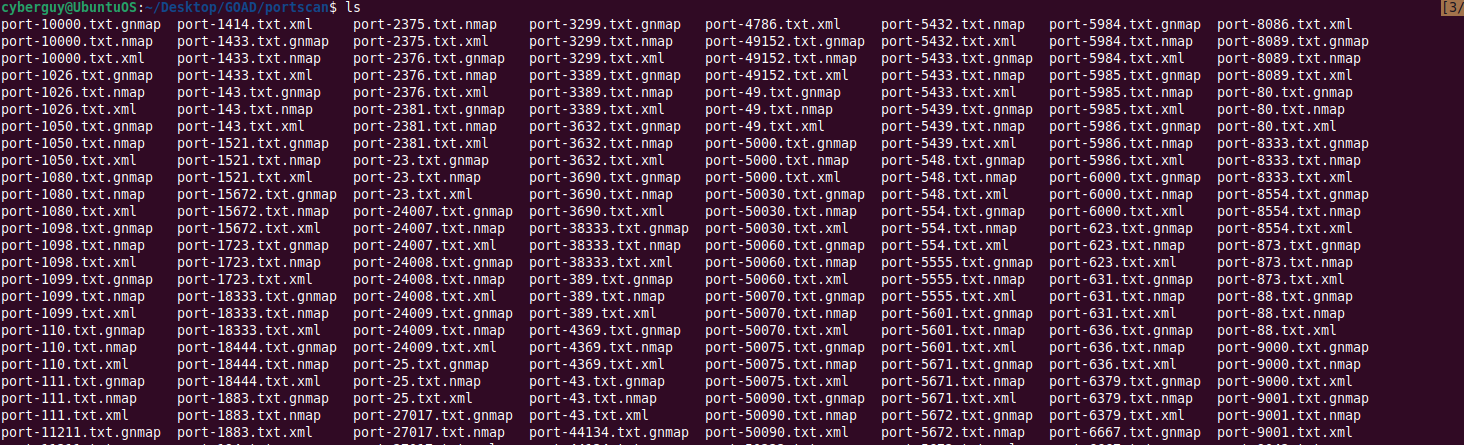
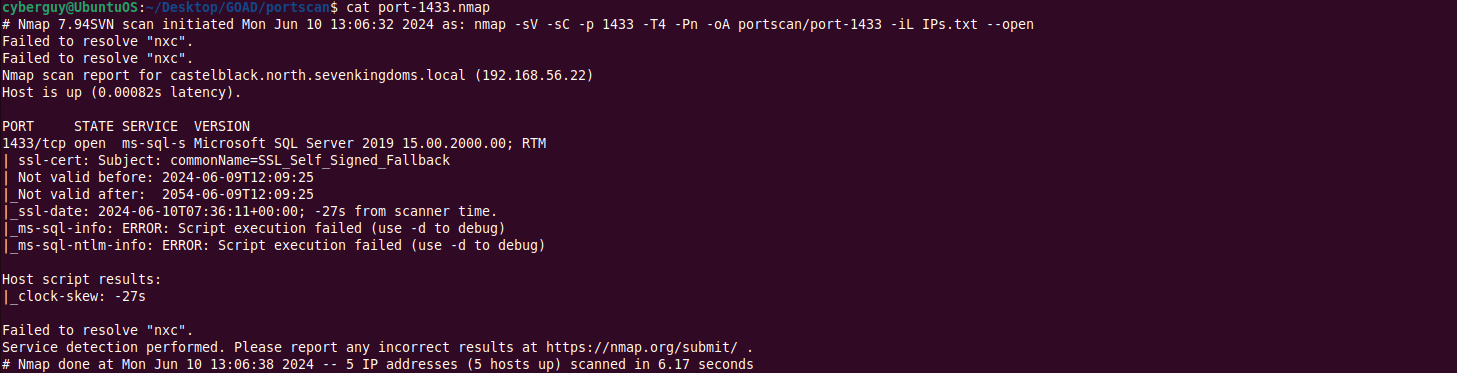
This way, specific results related to each port are stored in individual files.
- For more on exploiting specific ports, visit bookhacktricks.xyz
Recon with Httpx
Enumerating Vulnerable / Outdated Web Application Hosted:
We can also look for vulnerable websites hosted internally on common web application ports using httpx tool.
httpx -l subnets.txt -title -server -p 80,443,8000,8080,8443

TIPS: If your computer is domain joined machine, run adPEAS. This script enumerates the AD infrastructure comprehensively and provides valuable information.
